Agents
Define each specialist.
Create a specialist or pull one shared through your Organisation Library. Version its instructions and tools, then activate it for live work.
Studio is the working environment your teams use to build specialist agents and teams, direct open-ended work and run governed workflows, with plans, progress, evidence and outputs together in one place.
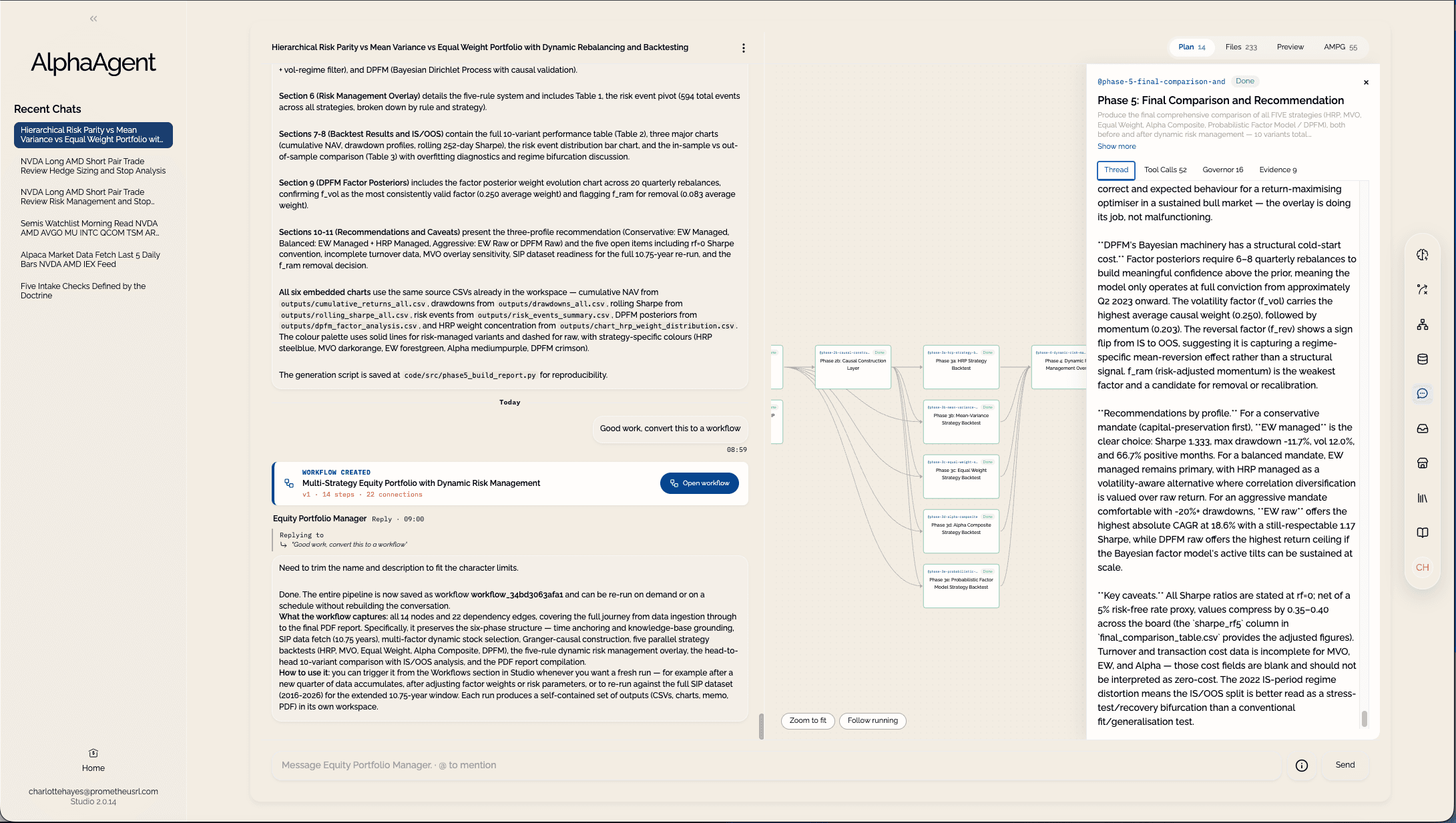
Inside Studio
Move from configuring specialists to directing live work and running proven workflows without switching products.
Work in Studio
Open-ended work
When the objective evolves as new questions and evidence emerge, work directly with a specialist in Studio. Use Express for a focused answer. For deeper investigation, Deep Traversal proposes a grounded plan for approval, carries out the work and keeps the evidence and outputs together. When the path proves useful, turn the plan directly into a draft workflow.
Set the direction.
Approve the plan and add guidance as the objective develops.Trace the work.
Use the Configuration Inspector to see the agent version, intelligence and connections in play. Review citations and web sources, then replay the path through the Thought Map.Keep the outputs.
Browse and download workspace files. Reuse persistent datasets across the conversation.Governed workflows
When the outcome and controls are defined, build a visual sequence of agent tasks, document analysis, conditions and human handoffs. Steps can pass full datasets forward and return structured outputs. Run the workflow on demand or describe its schedule in plain language.
Adapt to cases.
Use conditions, retries and timeouts without forcing every case through one rigid path.Hold decisions.
Pause for approval, review, guidance or a stop decision wherever judgement is required.Preserve every run.
Review the exact workflow version, each step, decision, dataset and artefact from one complete record.Work in depth
Studio brings source material, current information and connected data into one working context, then returns results your team can inspect and use again.
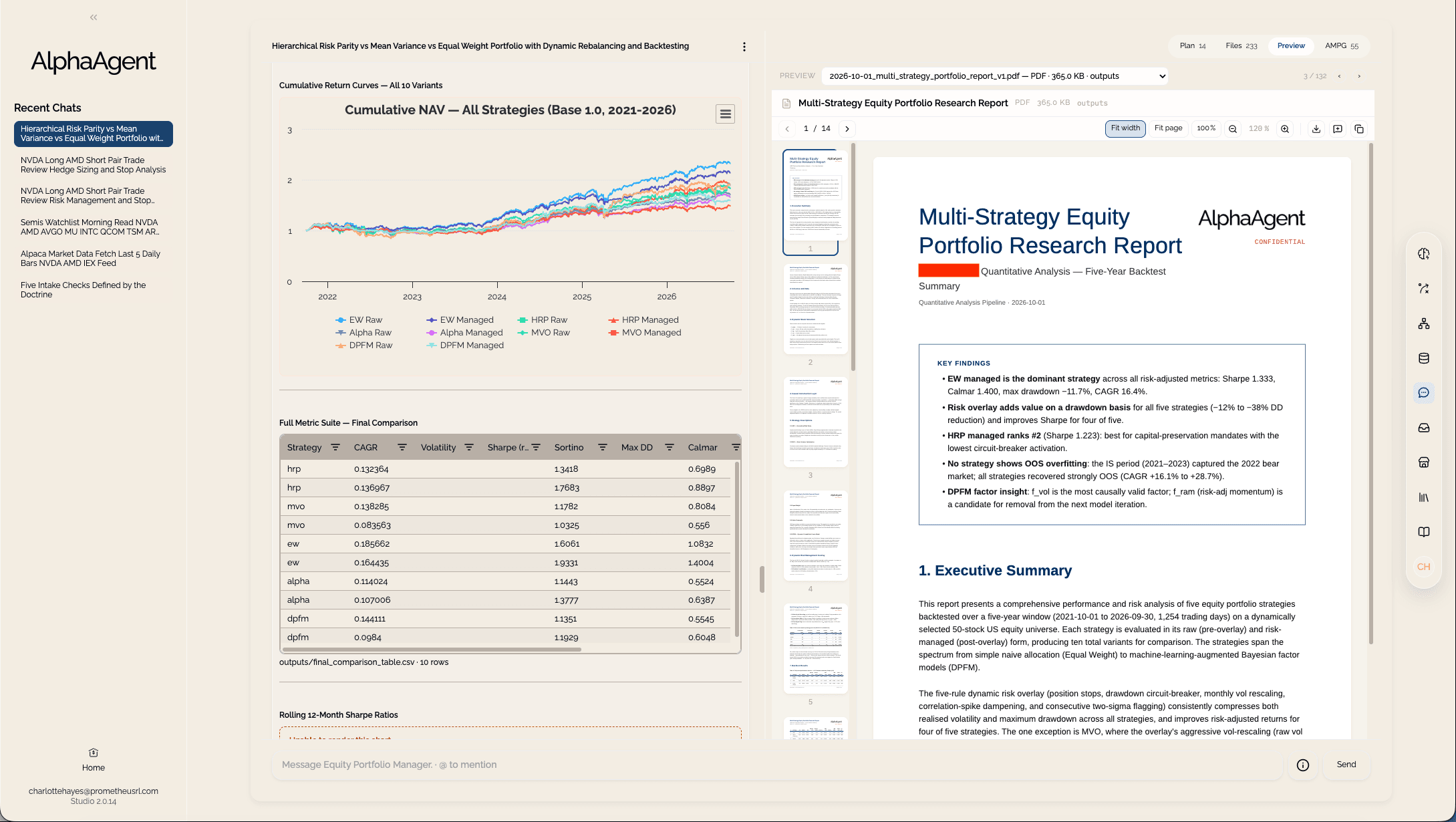
Attach documents and images. Draw on Intelligence Graphs, enterprise data, approved external tools and the live web.
Describe the objective in plain language. Studio reads the inputs, retrieves connected data and runs Python or shell analysis inside an isolated workspace while progress streams live.
Explore full datasets as grids and charts. Keep generated reports and files in the conversation workspace, ready to inspect, reuse or download.
The conversation stays readable. The full data, working files and outputs remain available across turns and when you return.
Configure in Studio
One configured capability
Create a specialist for a domain, role or method, or pull one shared through your Organisation Library. Refine its instructions, choose its tools and set the authority appropriate to its work.
Add Intelligence Graphs and connect SQL databases, REST APIs, AWS data sources and approved external tools through the Model Context Protocol (MCP). Every specialist can also search and browse the live web without separate setup.
Bring agents together under a supervisor that interprets the objective, divides the work and routes each part to the right specialist.
Ready for work.
Direct the capability through live work. Turn a proven path into a governed workflow without rebuilding the intelligence, connections, team or controls underneath.
When an agent, workflow or Intelligence Graph proves useful, share a selected version to the Organisation Library. Authorised teams can pull a copy into their own Studio deployment and build from it.
Live work
Built in Studio
Your deployment
Your AWS account
Agents, intelligence and work stay with the product that uses them.
Why Studio
Other platforms
Months of engineering before the capability can run.
Much of that work begins again with the next use case.
AlphaAgent
Studio
Configure and run.AlphaAgent OS
Power and govern.The result
Configure what makes the capability yours. Reuse what makes it run.
Start in Studio